
If you are still running sequences as your entire LinkedIn outreach strategy, you are making your life 10x harder.
The full playbook is below. Every prompt is copy-paste ready.
Where Your Attention Goes Determines Your Results
Sequences double down on people who IGNORED you.
Most teams stop there.
But in fact, you should be doubling down on the ones who REPLIED.
Hands up if this is you:
- Export a list. Load it into a sequence. Hit send.
- Chase the ghosters with scripted follow-ups.
- Lose momentum because you can't keep up.
Two things need to change.
1. AI drafts every reply. You approve in one click.
A reply is your hottest lead. They raised their hand. Every hour you wait, that conversation goes cold.
Say you got 30 replies today. Spread across 3 LinkedIn accounts.
Each one means re-reading the thread just to remember where you left off.
By the time you get to reply number 20, the first person has already moved on.
In 2026, you don't reply to each one manually.
AI reads every thread and drafts a reply. You open the Unibox, review the drafts across all your accounts, and approve. One sitting. Done.
2. Don't reach 2000 wrong people. Reach the right 300.
The question is: how do you know who they are?
And where are they?
Most people answer that with a job title filter.
Job titles tell you who they are on paper.
It tells you nothing about whether they are ready, right now.
The right people are the ones who just DID something.
- Just changed jobs. Fresh budget, fresh mandate, no vendor lock-in yet
- Just posted about a problem you solve. They are thinking about it right now
- Just got funding. Decisions are being made.
- Just commented on a competitor's post. Actively evaluating options
- Just asked a question in a LinkedIn group, Reddit, or industry forum. Actively looking for a solution.
- Their company just posted a job opening in a relevant function. Signals budget and priority.
- New executive just joined their team. New leadership, new decisions in the first 90 days.
- Just engaged with an influencer's post on a topic you solve. Already in the conversation.
Reach out the day the signal fires.
Miss the window and you are just another cold message.
The 3-Step System
Step 1: Set Up Your Signal Agents
Go to linkednav.com and create an account.
The 7-day trial is enough to run the full playbook.
LinkedNav reads your landing page URL and generates your ICP automatically:
- job titles
- seniority
- industries
- company size
- locations
You just approve.
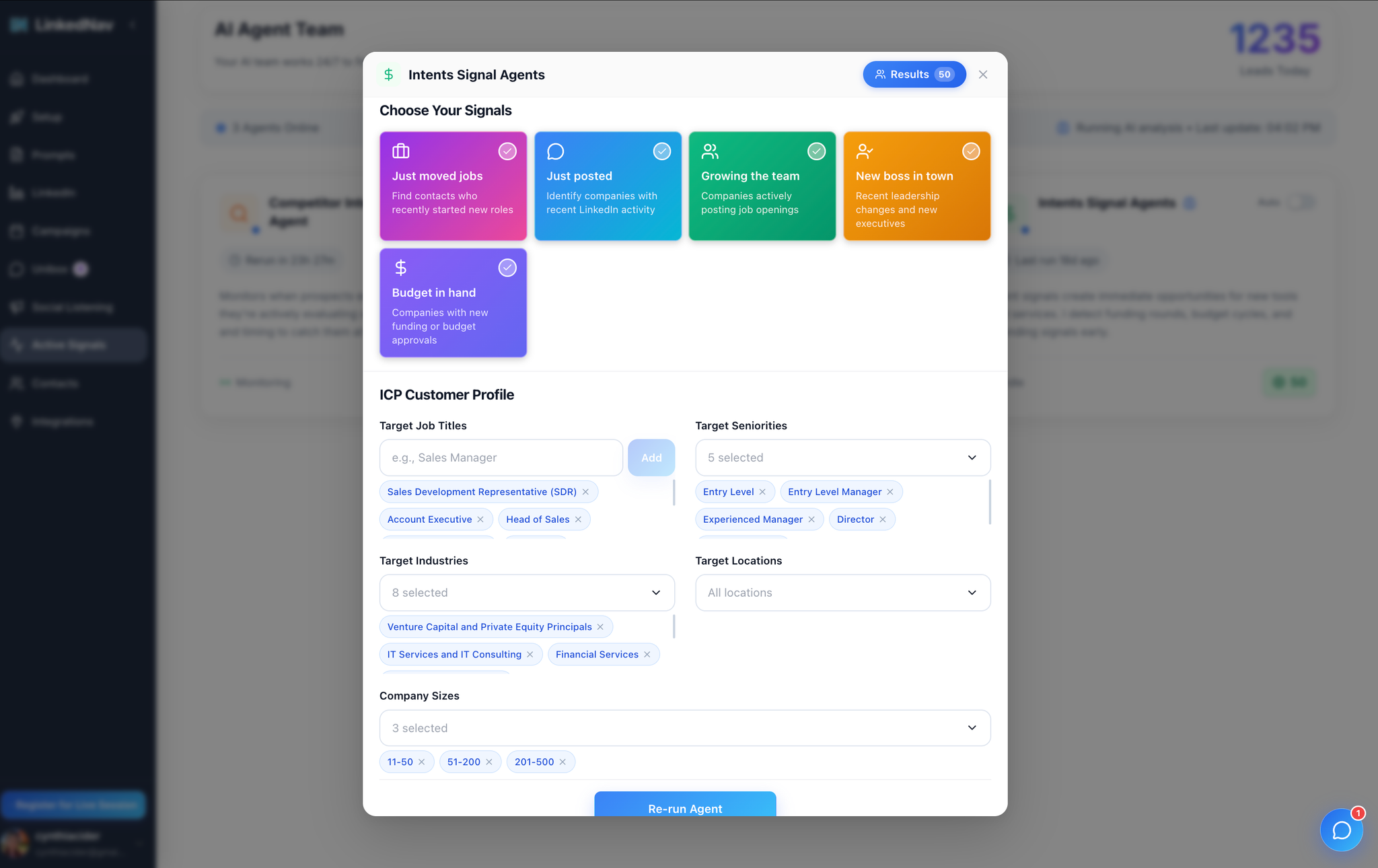
Then activate your signal agents:
- Job changes: prospect just started a new role
- Content signals: prospect posted about a problem you solve
- Competitor engagement: prospect is interacting with your competitors
- Hiring signals: company is expanding in a relevant function
- Funding and news: company just raised or announced growth
- Social listening: prospect asked a question in a LinkedIn group, forum, or community
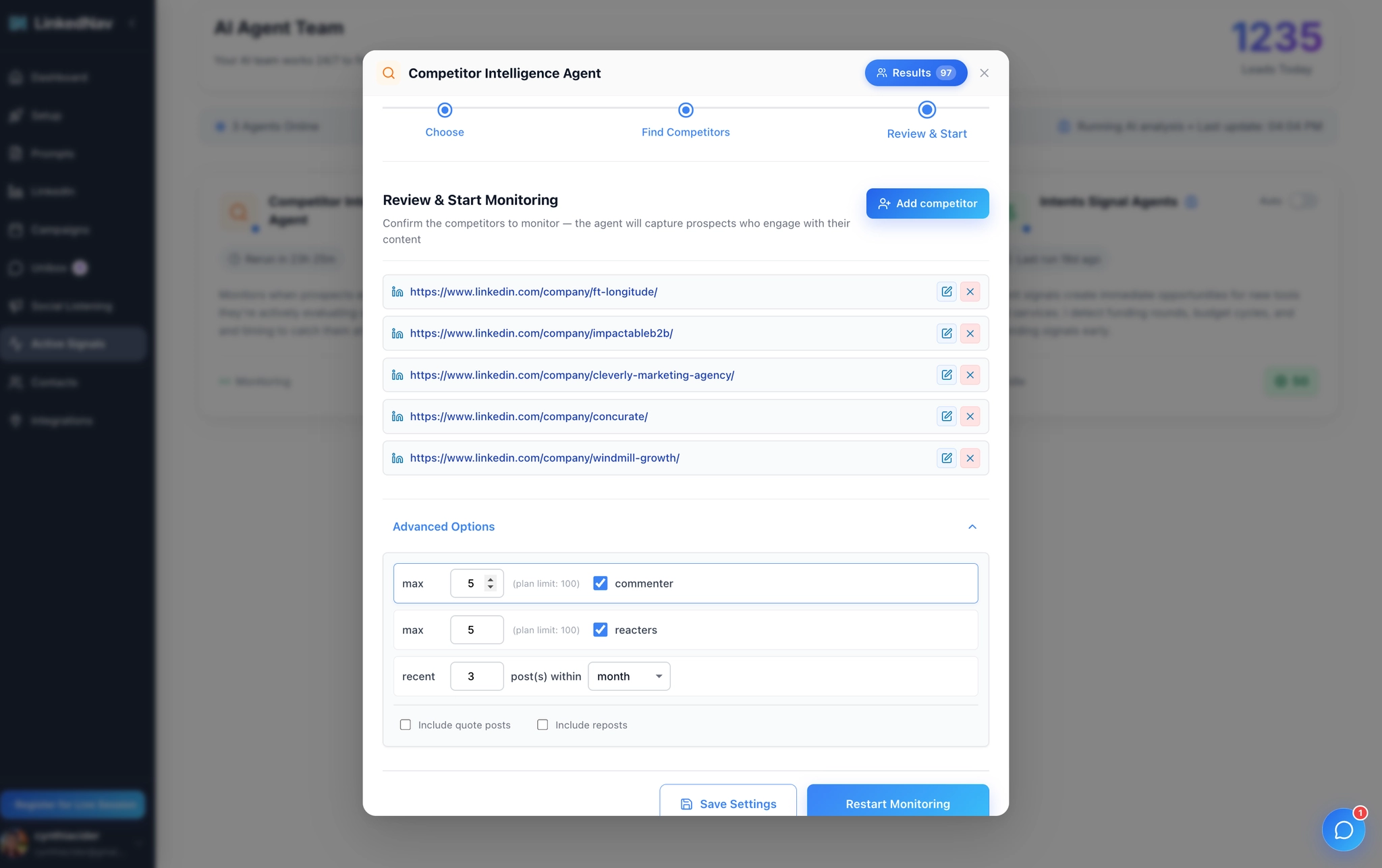
You can also set up the Competitor Intelligence Agent.
It monitors your competitors' LinkedIn pages and captures anyone engaging with their content: commenters, likers, followers.
It runs every day, so every lead in your queue is fresh. All within the last 24 hours.
Step 2: Let the Agents Fill Your Pipeline
The agents run every day. You wake up to a queue of warm leads, each tagged with:
- The signal that triggered them
- Their role and company
- An intent score
Step 3: Reach Out at the Right Moment
Here is where most people mess up.
They get 300 warm leads and send a 300-word pitch. Wrong.
Short messages win. And with AI, every message is written based on what that specific person just did. Not a fixed script.
This is the prompt we use. Copy it directly into Claude.
The Conversation Prompt
# Role
You're reaching out to prospects on LinkedIn, keeping things natural and human.

# Goal
Lead the conversation toward one outcome: a booked call or a link to your landing page.

1. Do not send any URL in the first 2 messages.
2. Before suggesting anything, ask about their current situation and what's costing them the most time.
3. Send your landing page link before your calendar link. Never send both in the same message.
4. Each link is sent once. Never twice.
5. Once the conversation is clearly over, stop following up.
6. If no interest, exit gracefully. No pushing.

# Instructions

## Output
1. Return only the message. Nothing else.
2. Keep every message under 30 words.

## Style
1. Never start a sentence with a verb.
2. Never use em dashes or dashes. Use commas or periods instead.
3. Write as if speaking out loud.
4. Never sound robotic or formal.
5. Match the prospect's language if they write in a different one.
6. No line breaks inside messages.

## Conversation Flow
1. Show genuine interest. Do not sound scripted.
2. Ask no more than 3 questions total.
3. Do not repeat the prospect's name in every message.
Running This at Scale with LinkedNav
You can run the prompts above manually in Claude.
It works for 10 to 20 leads per week.
At 300 leads per week, manual breaks down.
Here is what LinkedNav automates.
DM Campaign Workflow
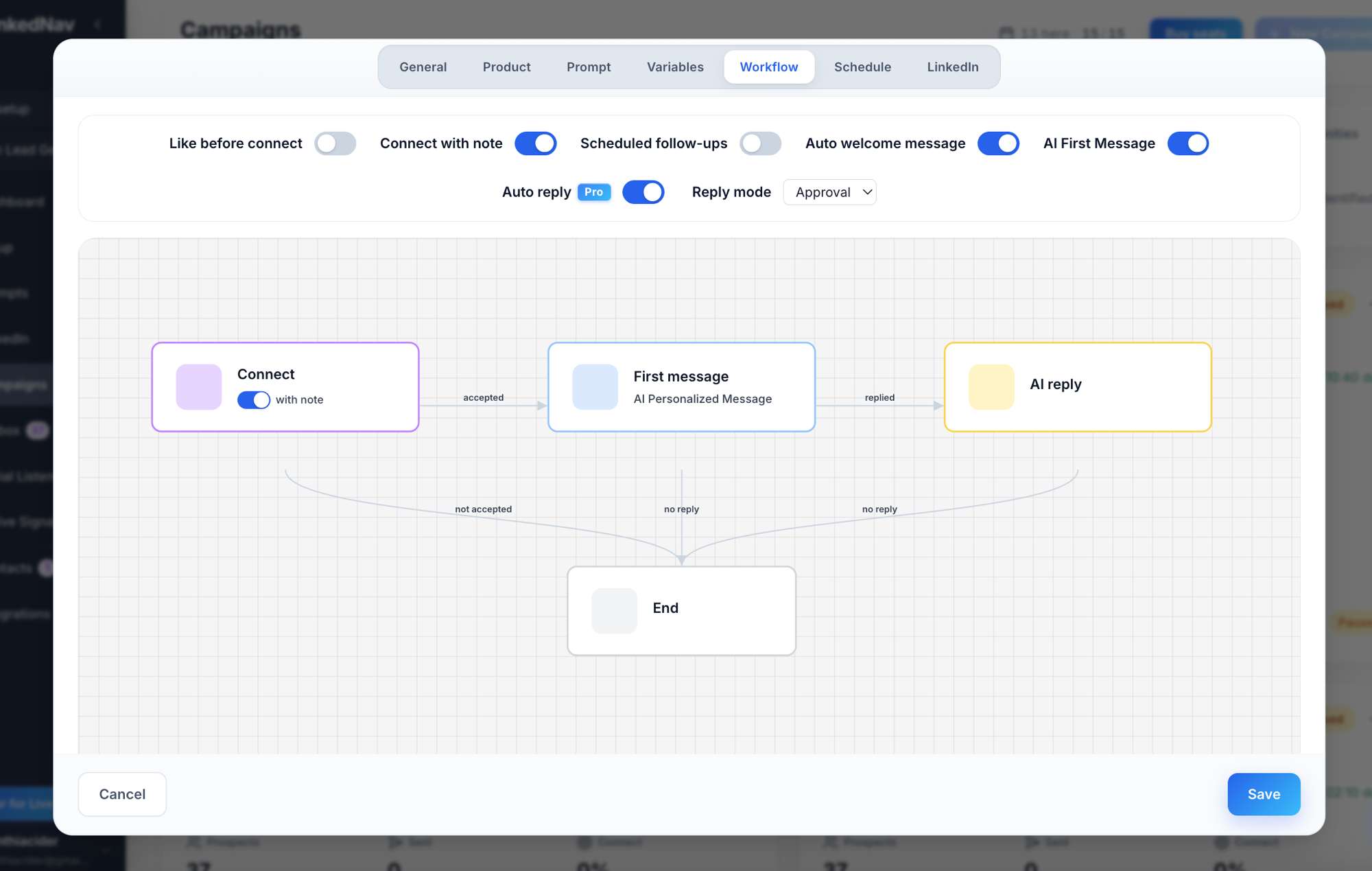
Every campaign has a customizable flow:
like posts before connecting → connect with or without a note → send a first message → then let AI handle follow-ups.
Run it fully automated, fully manual, or anywhere in between. You decide what needs your approval before it sends.
Auto-Withdraw Pending Invites
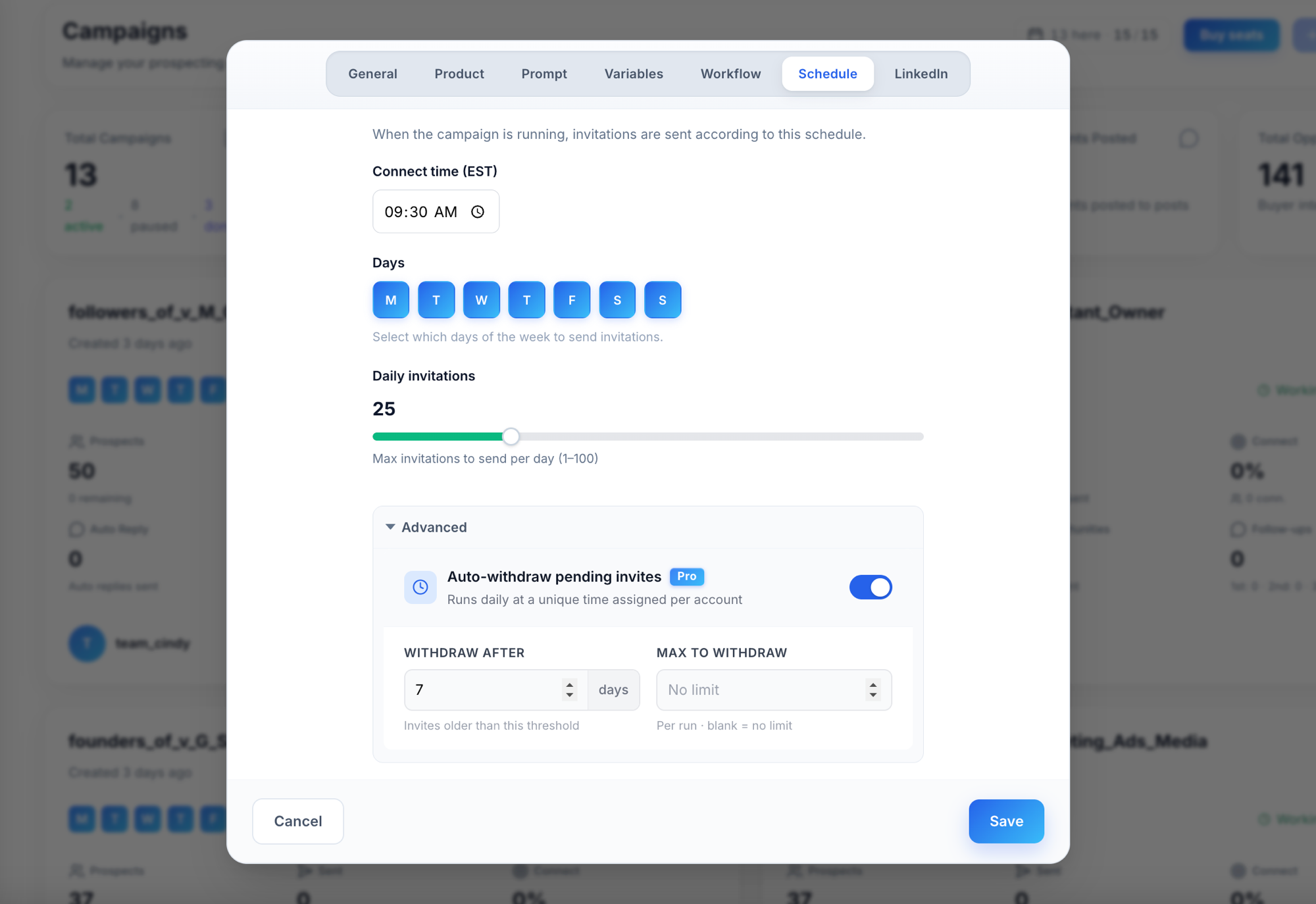
Pending invites that never get accepted drag your acceptance rate down.
LinkedNav automatically withdraws invites older than 7 days (you set the threshold), keeping your rate healthy and your account in good standing.
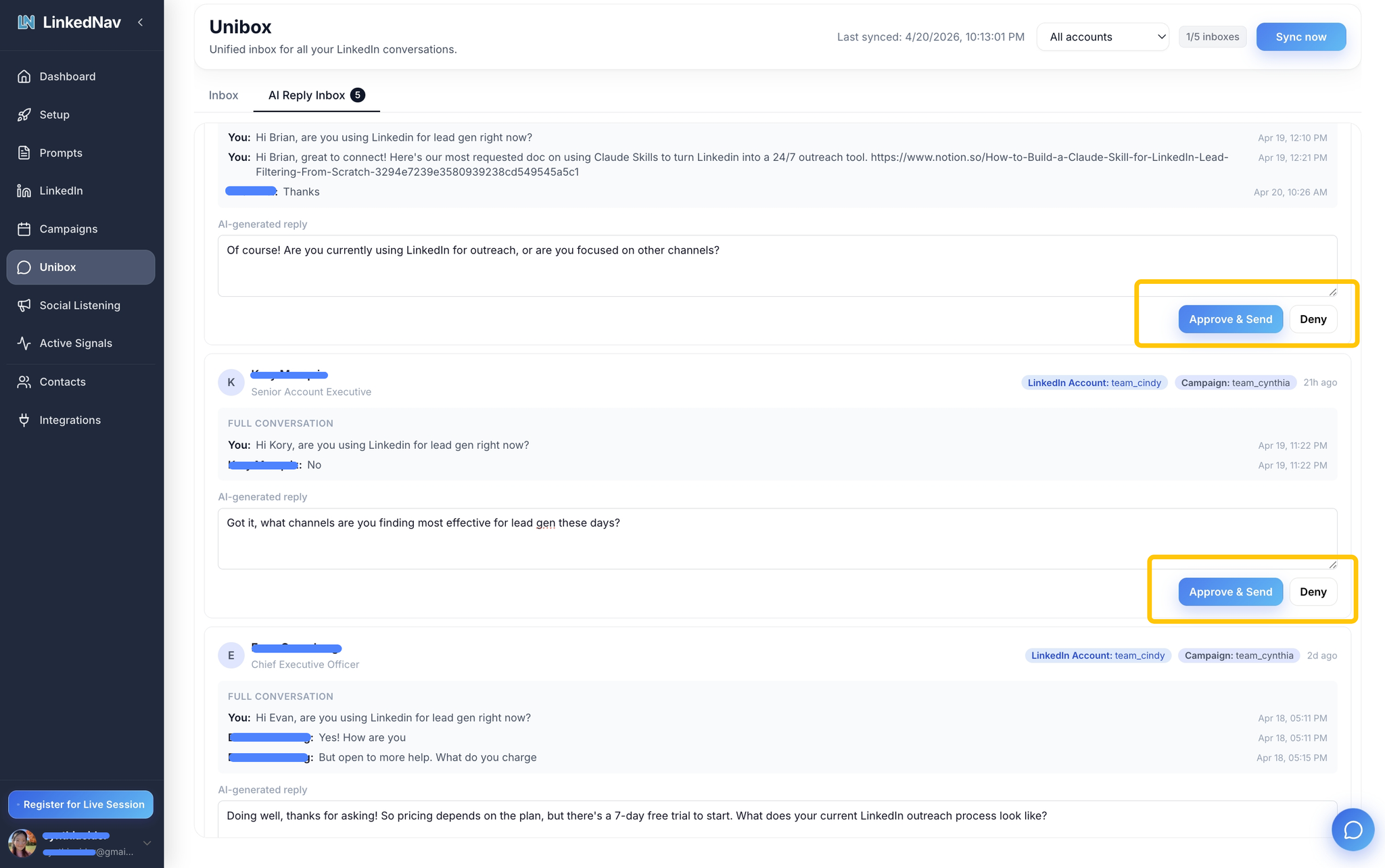
Unibox: Approve the Day's Replies in One Sitting
AI drafts every follow-up based on the full thread.
You open the Unibox, review 30 messages in 5 minutes, approve with one click.
Comment Campaigns (Bypass the Connection Limit)
Comment Campaign drafts relevant comments on posts from your ICP.
You choose: reply to the post, or reply to its commenters. Fixed template or AI-generated.
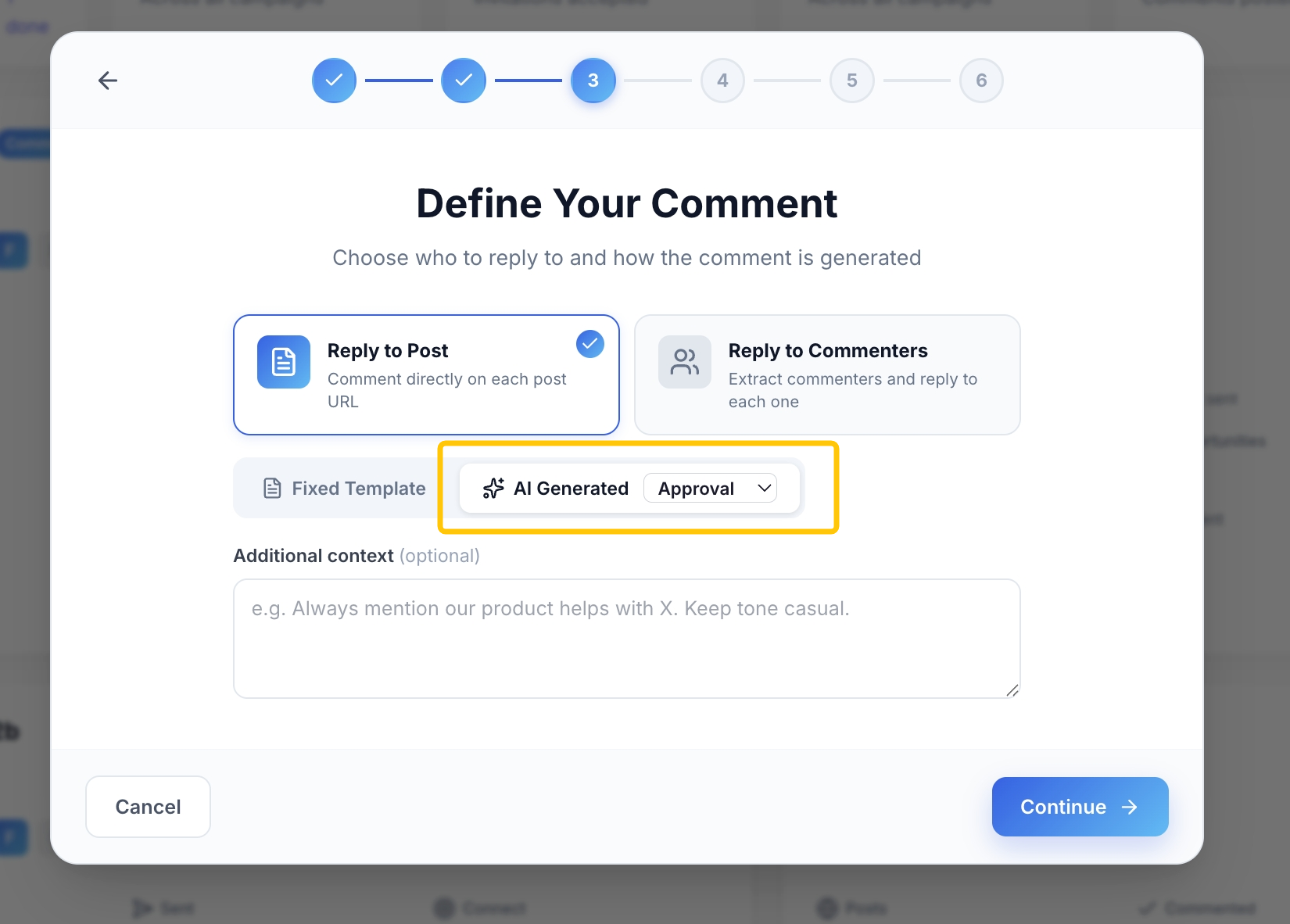
Every approved comment reaches the post author and their full network.
Without touching your weekly connection limit.
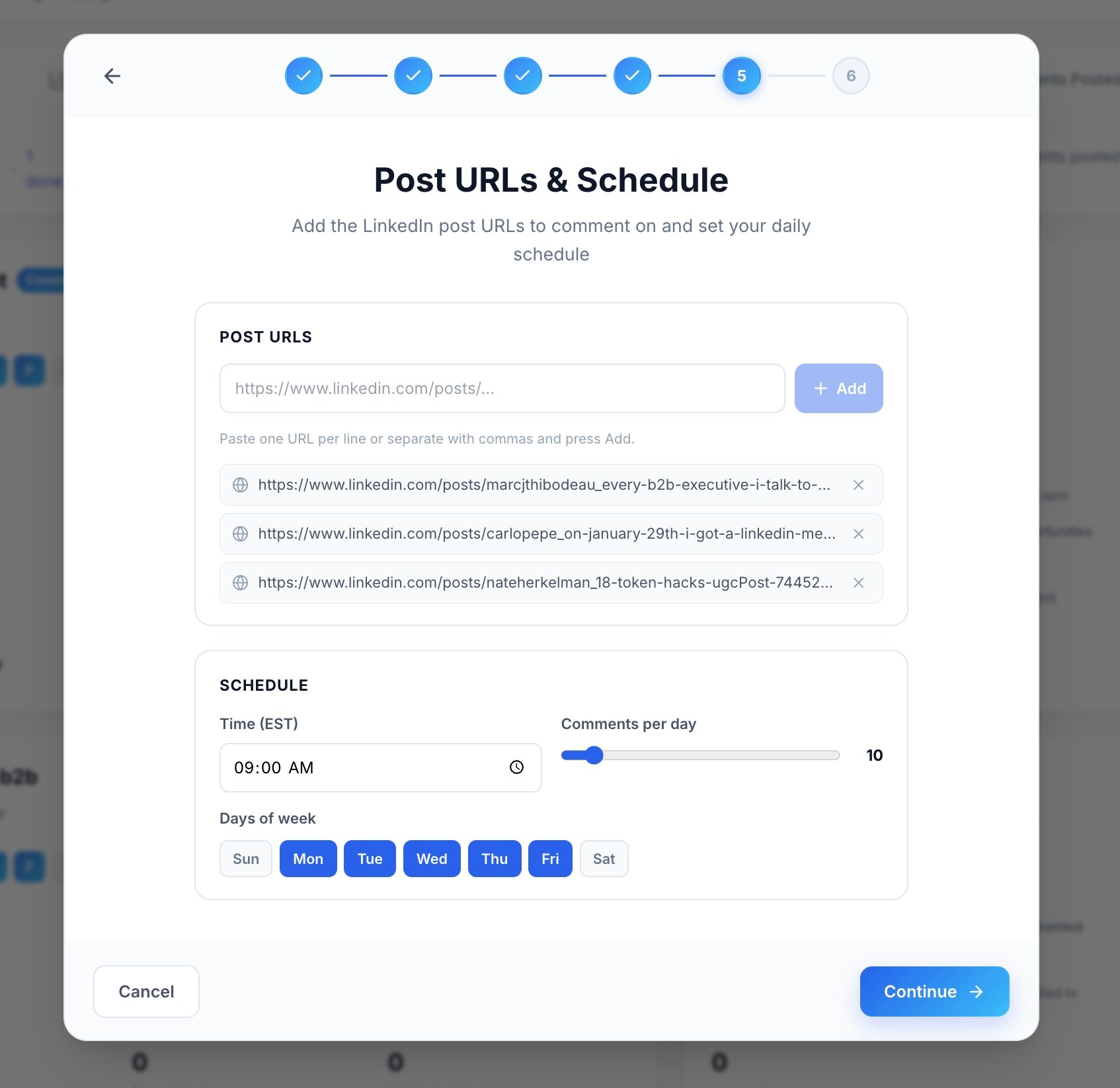
Set your daily limit and schedule:
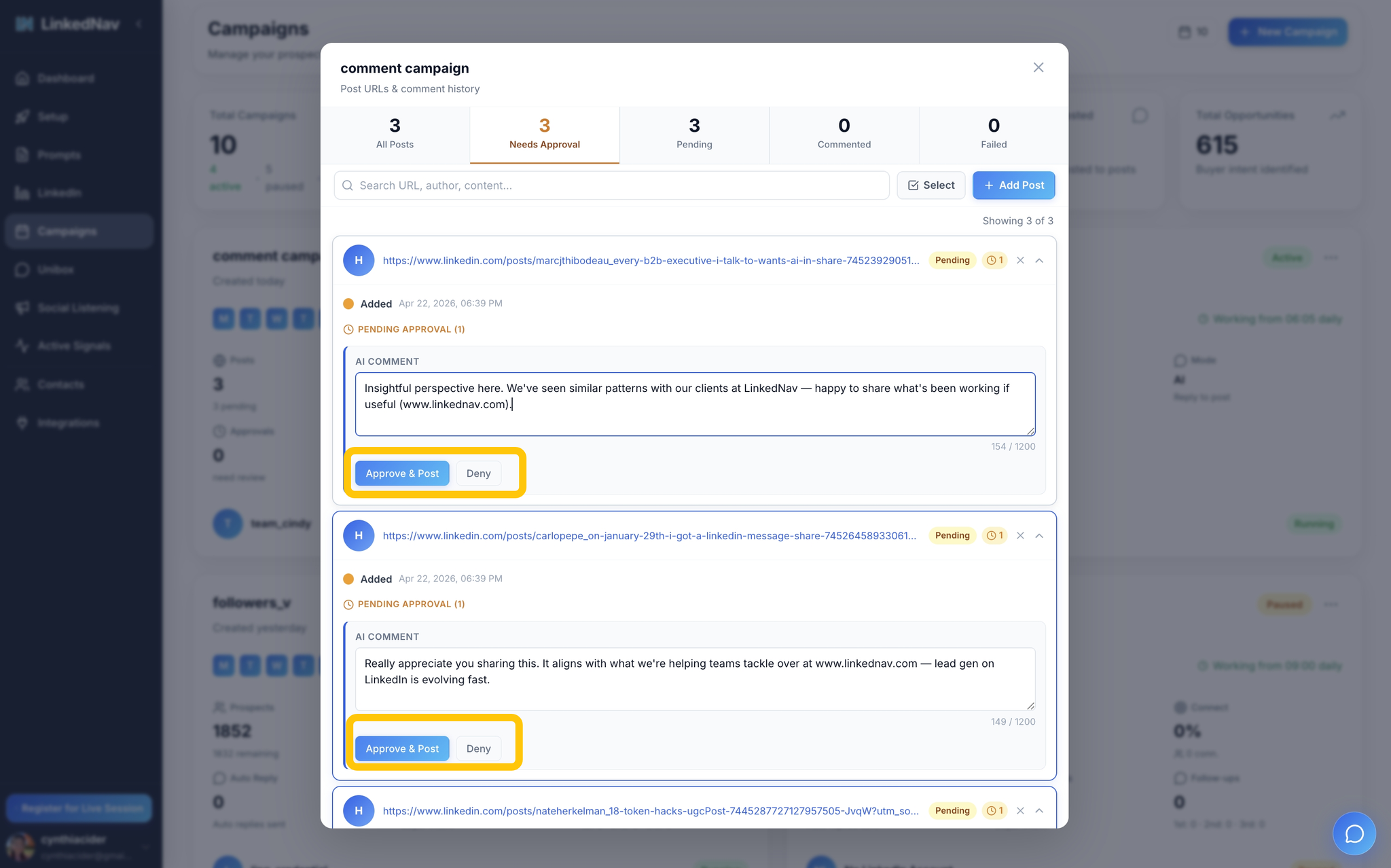
Approve comments in one pass:
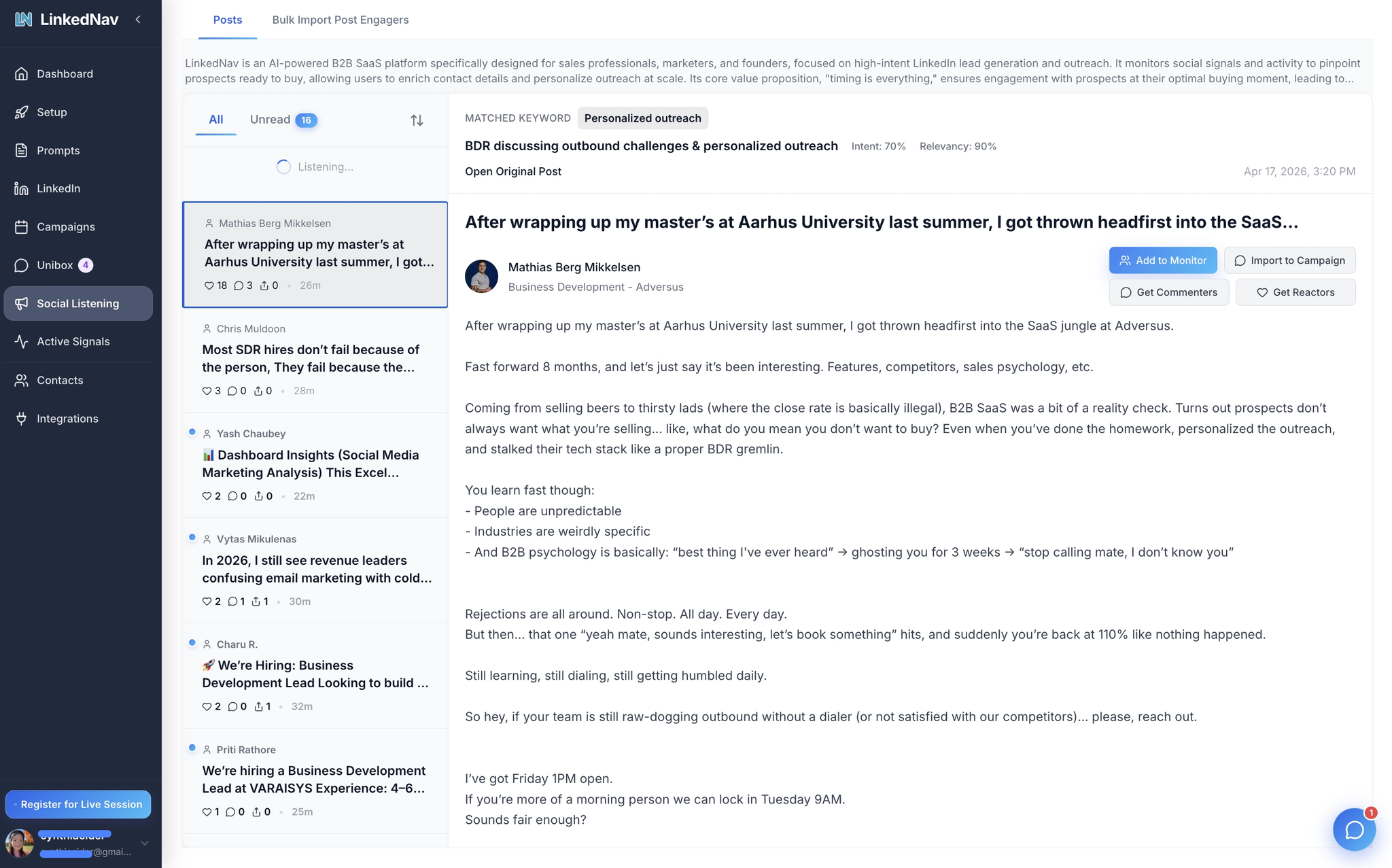
Social Listening
Listen to posts in your niche from the last 24 hours.
Every match shows an intent score and a relevancy score.
Add to a monitoring list or import directly into a campaign.
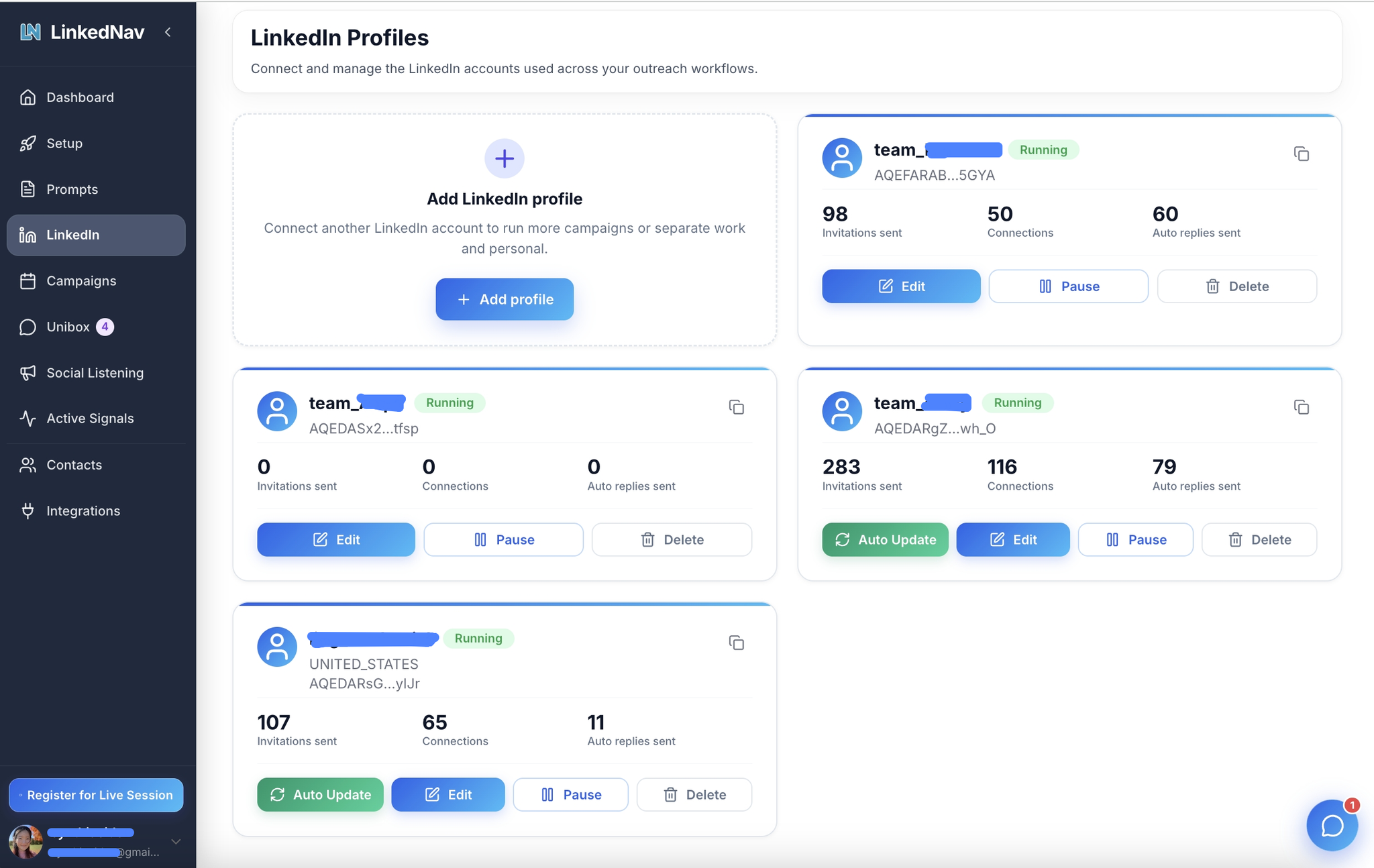
Multi-Account Support
Connect multiple LinkedIn accounts and run separate campaigns across them.
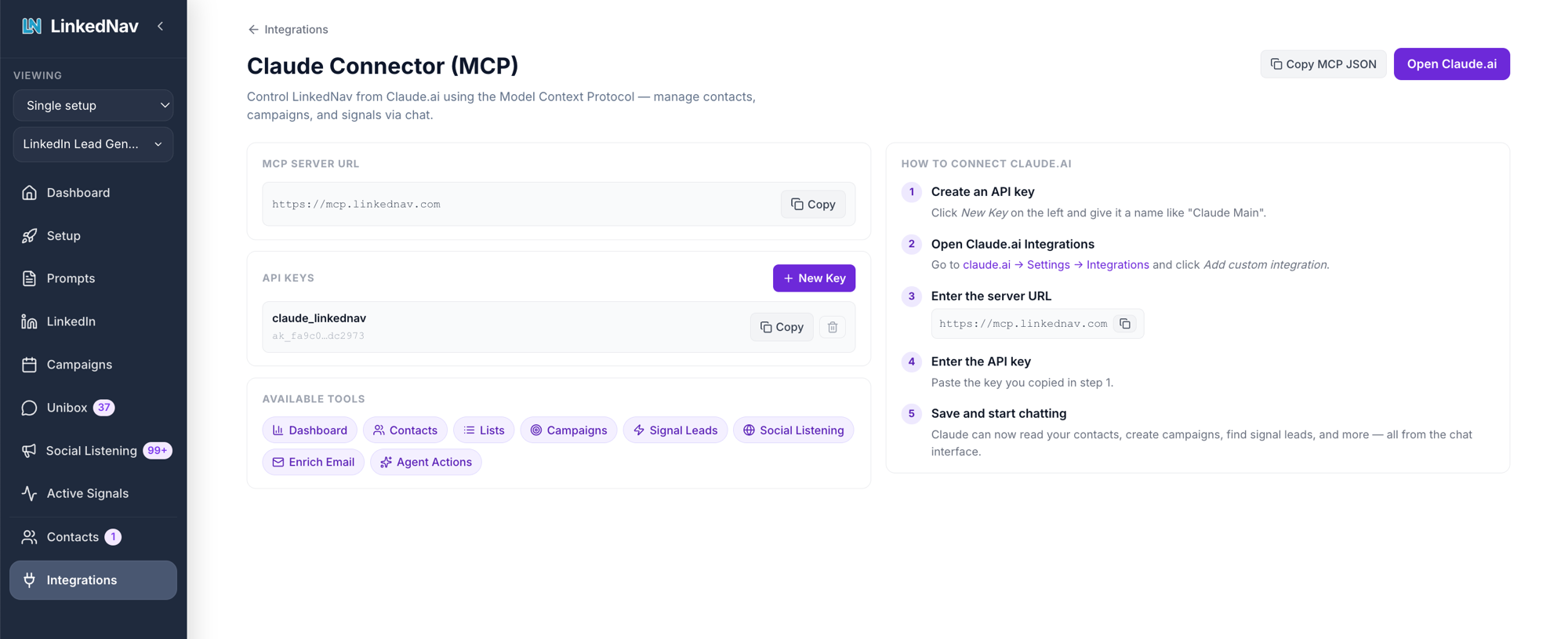
Integrations
Push contacts to HubSpot or Instantly. Upload custom Claude SKILL.md files to automate campaigns with your own AI logic.
Claude MCP: connect LinkedNav directly to Claude Desktop or Claude Code. Manage contacts, campaigns, and signals through chat. No clicking around the dashboard.
Your Next 48 Hours
Today. Create your LinkedNav account. Define your ICP. Activate your first three signal agents.
Today, later. Review the first batch of AI-drafted DMs in Unibox. Approve what fits. Reject what does not.
Tomorrow morning. Turn on Comment Campaign. Let it surface posts where your buyers are already talking about your category.
Tomorrow afternoon. Use the Research prompt on every new reply before you send your second message.
Day 3 to 7. Let the agents compound. Warm leads accumulate. You approve in batches.
First booked demo usually lands inside a week.
The Shift
Stop reaching out to people who match a filter.
Start reaching out to people who did something this week.
A title is not intent. A behavior is.
When you make this switch, outreach stops feeling like cold calling and starts feeling like joining a conversation that already started.
Signal + timing + the right model per task. That is the whole system.
>> Start your 7-day free trial at linkednav.com
It takes less than 10 minutes to set everything up.